Get Tipard iPhone Transfer Full Version for Free:
Visit this new giveaway page.
Enter your first name, last name, and email address, then hit the “Submit” button.
You will receive a confirmation email from Tipard (aktion@tipard-support.de). Click the confirmation link in that email.

Next, you will receive a second email from Tipard (aktion@tipard-support.de). This email contains the license code; please copy the code.
Download the Tipard iPhone Transfer installer
http://www.tipard.de/downloads/iphone-transfer.exe
Note: The above installer is in the German language. Don’t worry, install it, and after installation, we can change the app interface language to English.
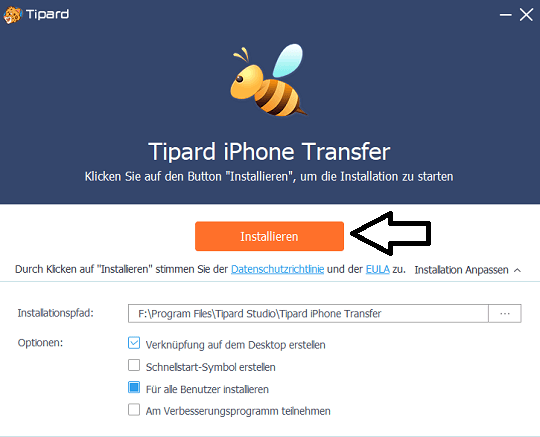
Run the installer, click the “Installieren” button, and complete the installation process.
Launch the app by clicking the “Jetzt starten” button.
You will notice the activation window; click the “Registrieren” button.
Enter your email address and license code, and click the “Akivieren” button.
Close the program, and also exit the app from the taskbar.
Change the language to English: Delete the language file (de.rcc)
Locate the folder where the software is installed and open the “Language” folder
For instance:
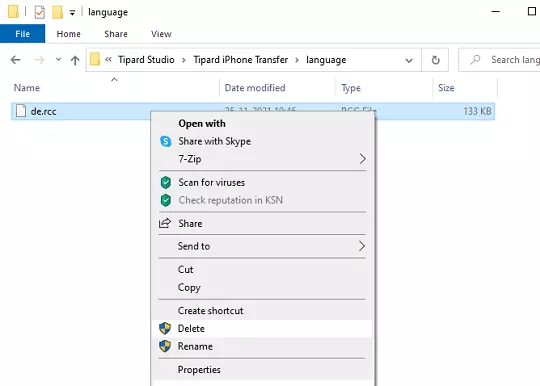
Like this: